

Worlds and dimensions
The server has several separate dimensions: the main Survival world where you build, the resource worlds for unrestricted farming, and themed versions of the Nether and the End. You travel between them with /mundos.
- The main Survival world is 30,000 × 30,000 blocks, Hard difficulty and PvP disabled; you do NOT keep your inventory when you die
- Resource worlds have no protection and no PvP and reset every so often: don't set up your base there
Useful commands
The ones you'll probably use in-game.
How to move between worlds
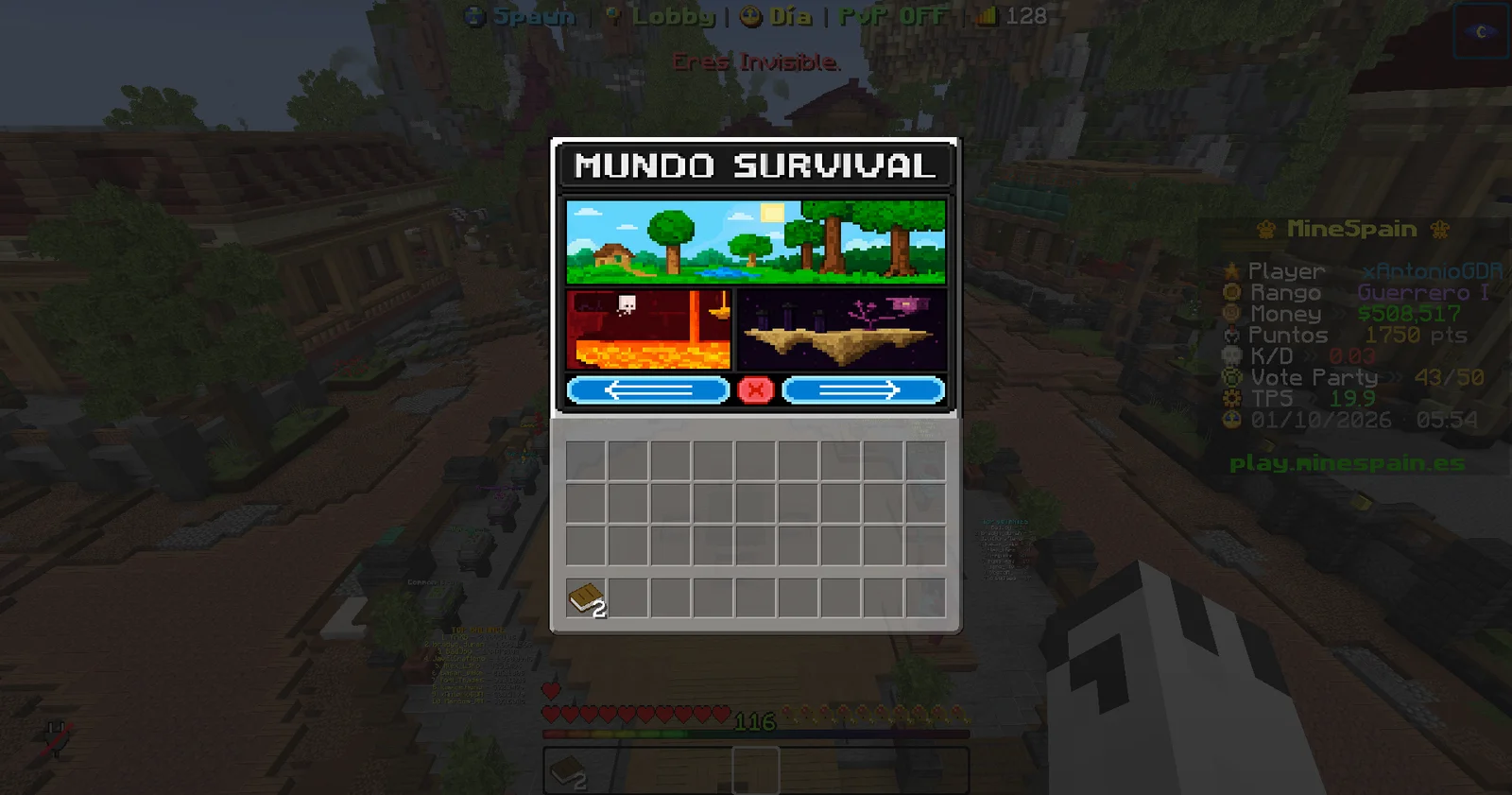
Use /mundos to open the travel menu. From there you can jump to any dimension with random teleport (RTP), and the menu itself shows you which worlds you've already unlocked and which are still rank-locked. If you know the exact name of a warp, you can also go straight to it with /warp <nombre>.
The menu is split into pages: the main worlds first, then the resource worlds, and the themed worlds at the end.
To get back to the arrival area from anywhere, use
/spawn.
Entering by portal vs. by warp (Nether and End)
Important: you can enter the main Nether and the main End through a physical portal with no rank at all — build the portal, cross it and you stay. The rank (GuerreroIII for the Nether, GuerreroV for the End) is only required to get there via the shortcut: /warp or the /mundos menu. That's why, in the tables below, the "minimum rank" for the main Nether/End refers to that shortcut, not the portal. The resource worlds (Nether and End) and the themed ones (Deeplands, Ashlands, Voidlands) do require a rank by any route. Also: to fish in the lava of the Nether you need the Lava Hook or the Magic Rod, and to protect land in the Nether or the End you need their rank even if you entered by portal.
The Survival world
This is the world where you build, protect your land and set up your base. It's available to everyone right from the start.
It measures 30,000 × 30,000 blocks, the difficulty is Hard and PvP is disabled. Here you can protect your area so nobody touches your base. Keep in mind that you do NOT keep your inventory when you die, so store anything important.
Get there with /warp survival or via RTP from /mundos.
| Stat | Value |
|---|---|
| Size | 30,000 × 30,000 |
| Difficulty | Hard |
| PvP | Disabled |
| Land claiming | Yes |
| Keep inventory on death | No |
Resource worlds
The resource worlds are copies of the dimensions built for farming materials non-stop. There's no land protection and no PvP, so you can mine, chop and dig freely without stepping on anyone's claim. They reset every so often, so you'll always have fresh materials.
Don't build your base here: anything you leave behind disappears with the next reset. Bring whatever you farm back to the main Survival world.
The Overworld Resource World is available from the start (/warp recursos). The resource versions of the Nether and the End require a rank (see the table further down).
Planning a permanent farm or your base? Build it in the Survival world, not in a resource world.
The Nether — Forja Abisal
There are two versions of the Nether. The main Nether is permanent: whatever you build there stays, it has land protection and PvP disabled. Remember the classic Nether scale: 1 block equals 8 in the Overworld, perfect for fast travel through portals.
The Resource Nether is resettable, with no protection and no PvP — ideal for farming.
Get there through the Nether portal from your base, with /warp nether, or via RTP from /mundos.
Swipe the table sideways to see every column.
| Version | PvP | Land claiming | Minimum rank |
|---|---|---|---|
| Main Nether | Disabled | Yes | GuerreroIII |
| Resource Nether | No | No | MercenarioI |
The End — Vacío Astral
There are two versions of the End as well. The main End is permanent, with protection and PvP disabled. The Resource End is resettable, with no protection and no PvP. You can fly in both.
Get in via RTP from /mundos, or with /warp end_recursos for the resource version.
Swipe the table sideways to see every column.
| Version | PvP | Land claiming | Minimum rank |
|---|---|---|---|
| Main End | Disabled | Yes | GuerreroV |
| Resource End | No | No | GladiadorI |
Leyenda plots
There's a plot world reserved for the server's highest rank. Players with the Leyenda (Legend) rank can claim a plot and build freely on it.
Get there with /warp plots.
Rank access — at a glance
The main and resource worlds unlock as you rank up with /rankup (or the /ranks menu). Notice that the resource worlds require lower ranks than their permanent versions.
If you're missing the rank, the /mundos menu will tell you exactly which one you need. The themed worlds (Deeplands, Ashlands, Voidlands) are covered on their own page.
| World | Minimum rank |
|---|---|
| Survival (main) | None — from the start |
| Resource Survival | None — from the start |
| Nether (main) | GuerreroIII |
| Resource Nether | MercenarioI |
| End (main) | GuerreroV |
| Resource End | GladiadorI |
| Plots | Leyenda |